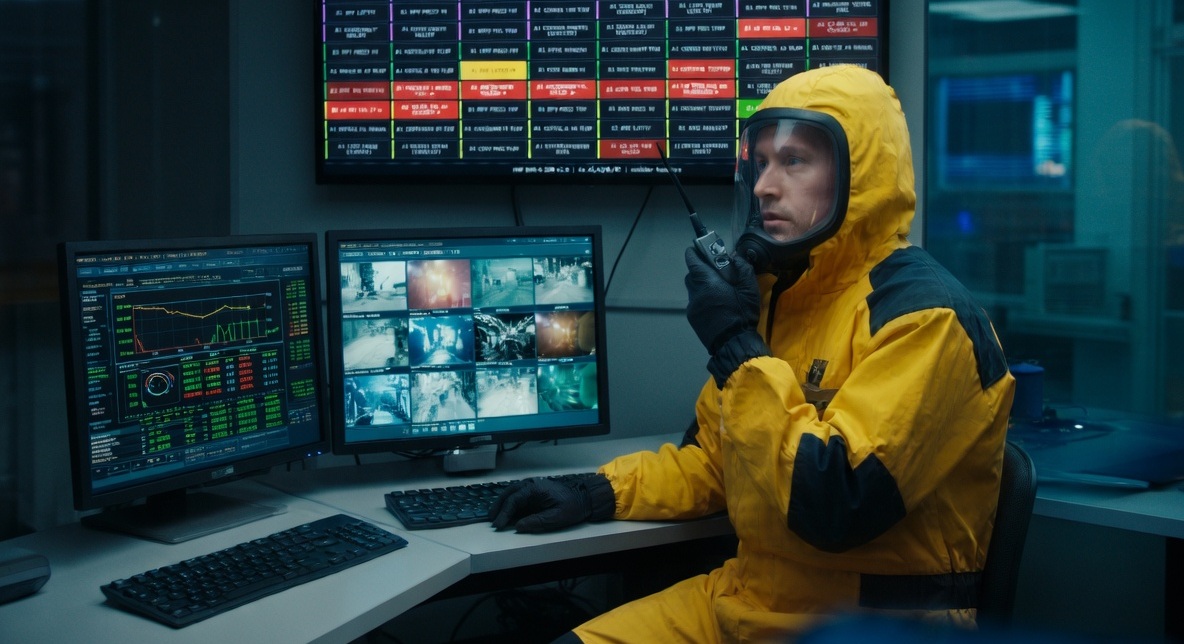
Cast & Hardware Controllable
Actors interact with real on-screen interfaces — and so can physical hardware. Switches, buttons, and keys drive direct changes across every connected GUI screen in real time. No post-production UI compositing required.
Director Terminal & DMX
A dedicated director terminal can control the entire show and reset states on cue. GUI events can also trigger DMX lighting control, keeping set lighting in sync with what appears on screen.
LAN-Networked
Deploy as many computers as your production needs. Every GUI view and effect stays synchronized over a standard LAN — displays, control stations, and lighting all share one live state.
Any Resolution & Scale
Customize each interface to any resolution and screen ratio — from ultrawide floor-to-ceiling LED walls to arrays of 50+ individual displays, each view tailored to its monitor.
Distributed & Affordable
Eliminates the need for an extremely powerful computer with many video outputs and complex video routing. Cheap laptops, built-in TV apps, and even Arduinos and Raspberry Pis can join the network — all synchronized.
Live & Looping
Animated feeds and alarm tiles cycle continuously, keeping every frame of your shot alive with authentic motion and state changes.
On-Set Multi-Monitor Layout
Arrange these displays across any number of screens on your set. Below is an example control-room configuration — the same views seen in the hero shot above, each on its own monitor.
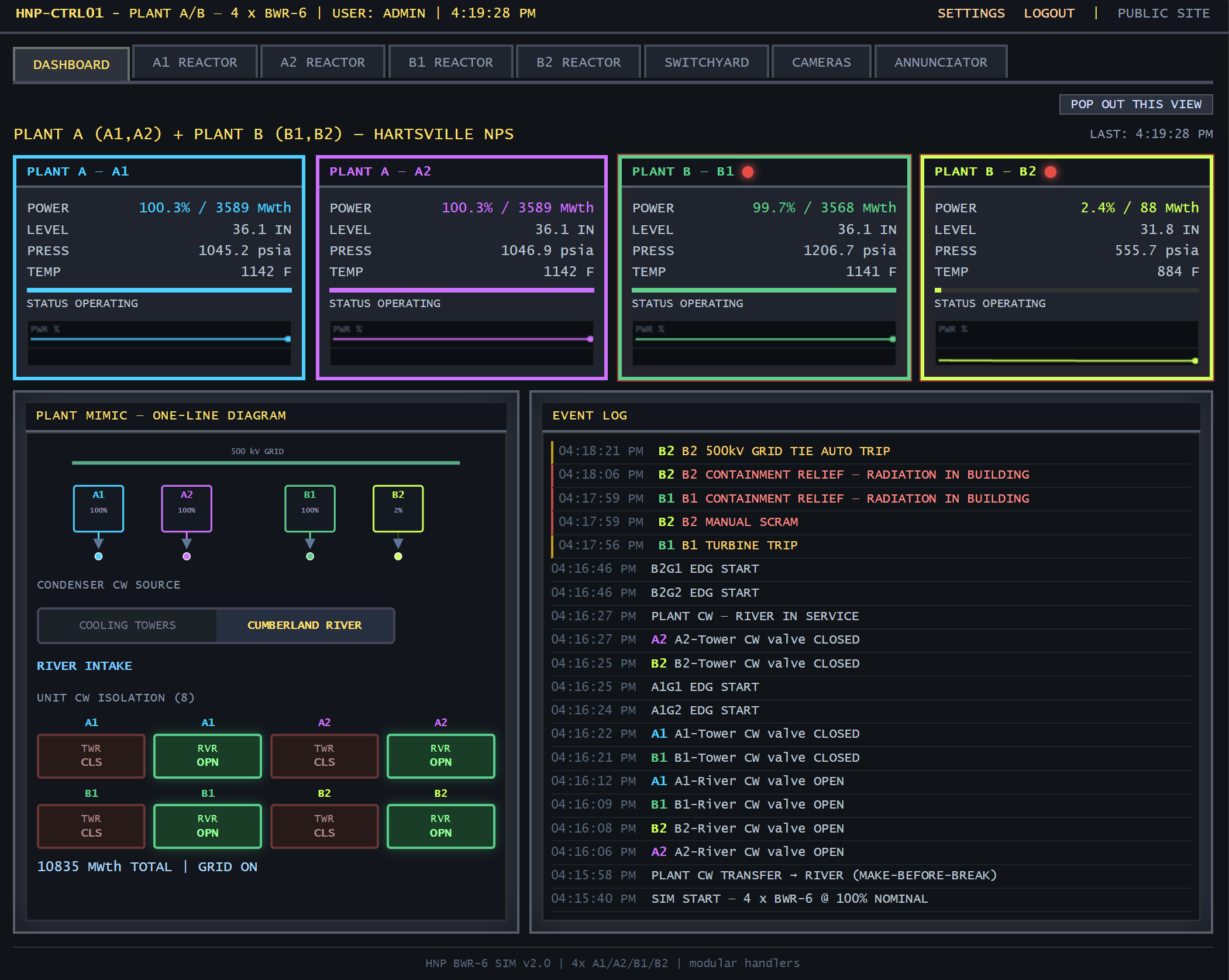
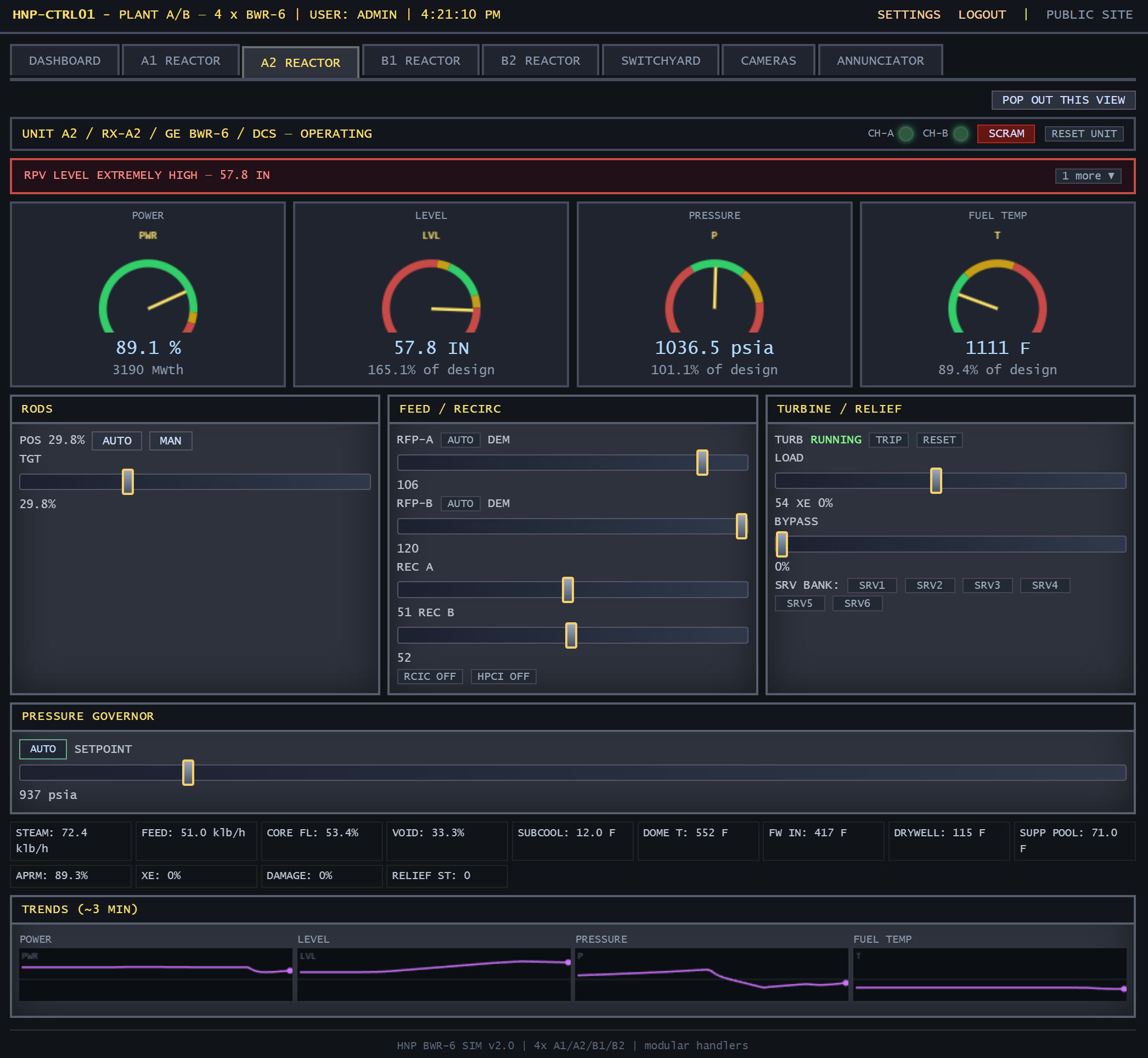
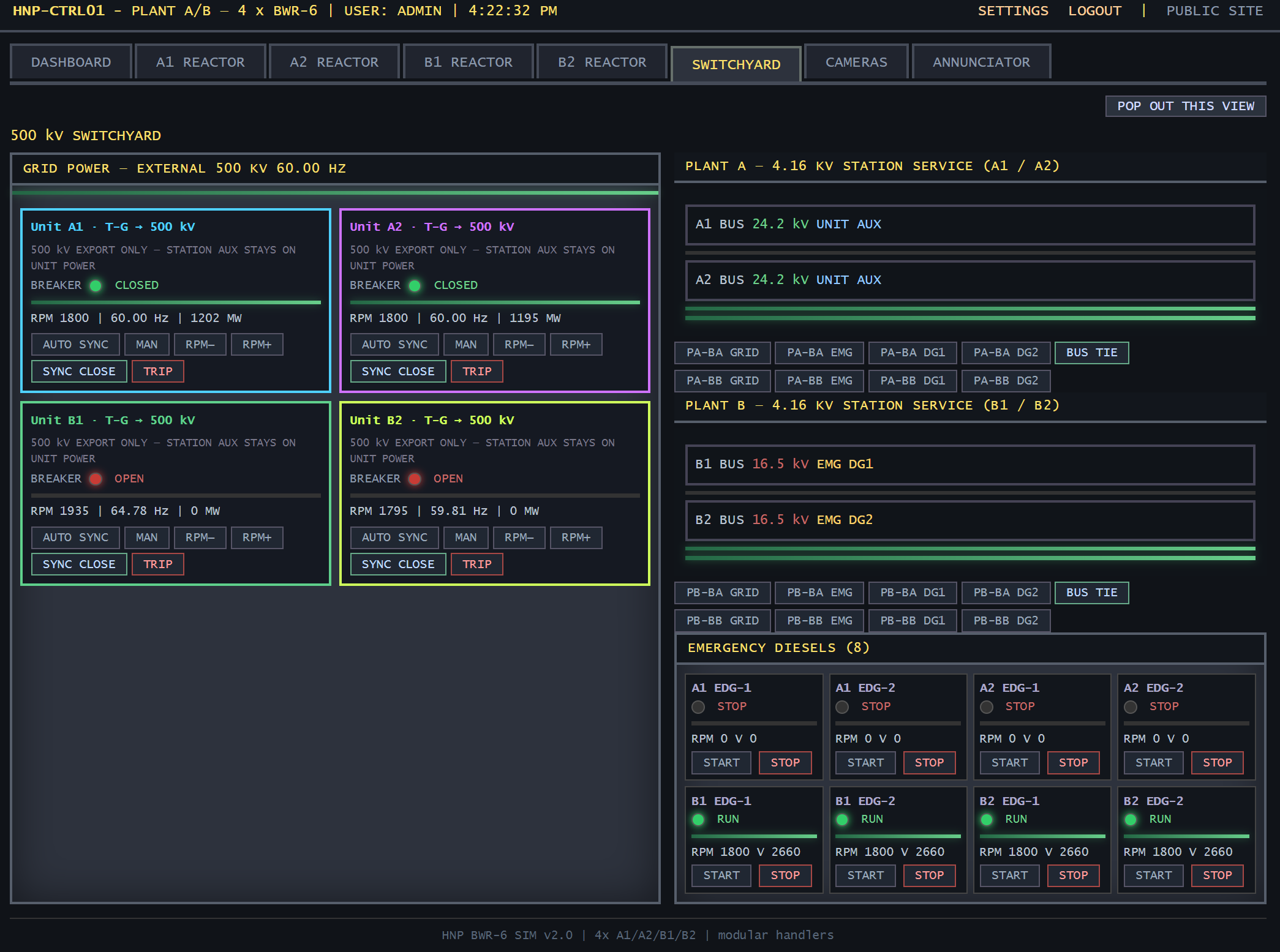
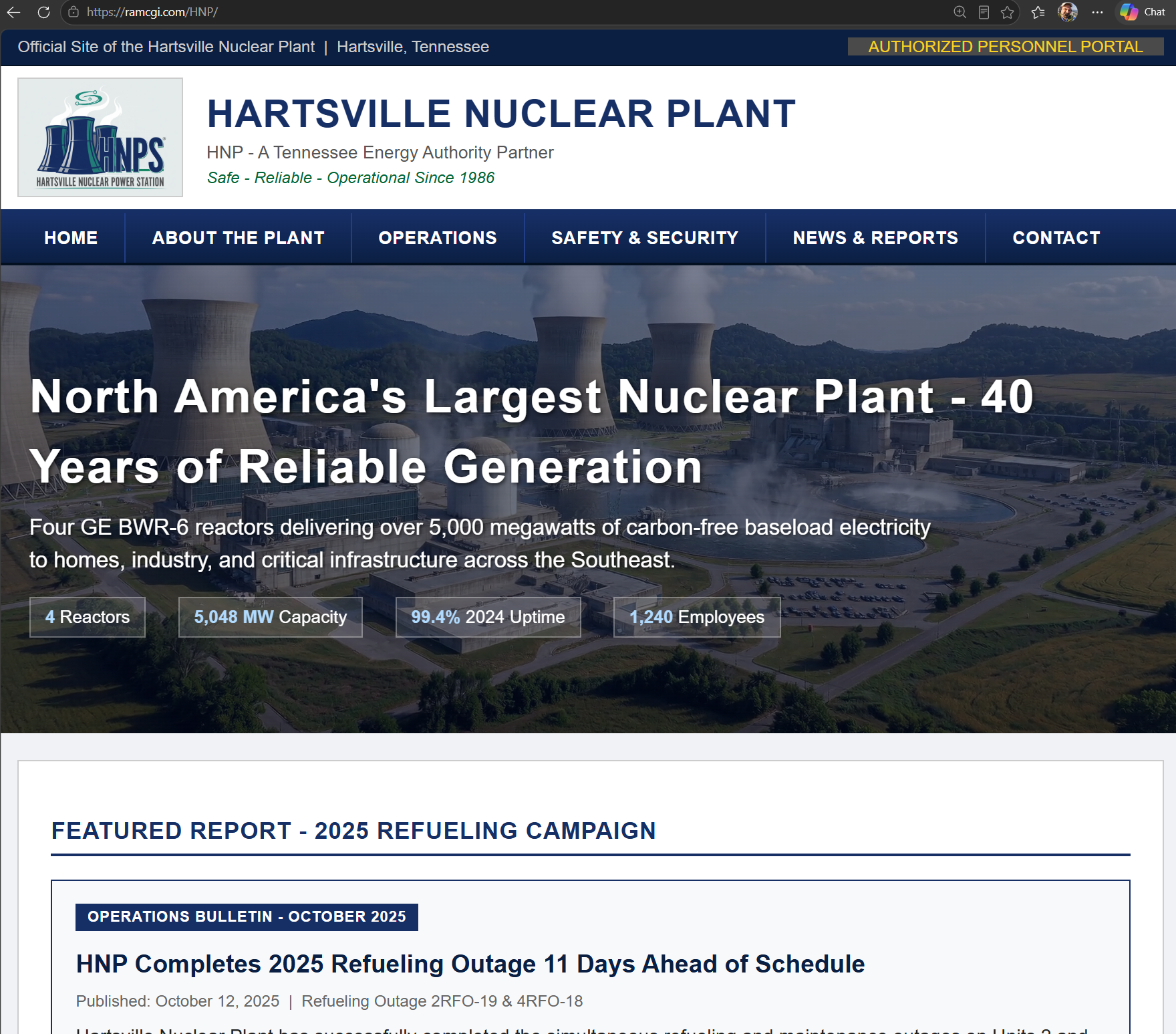
These displays power the Hartsville Nuclear Plant simulation demo — a full working example of cinema-ready GUI in action.
View live demo — Hartsville Nuclear PlantAction-Scene Integrated Displays
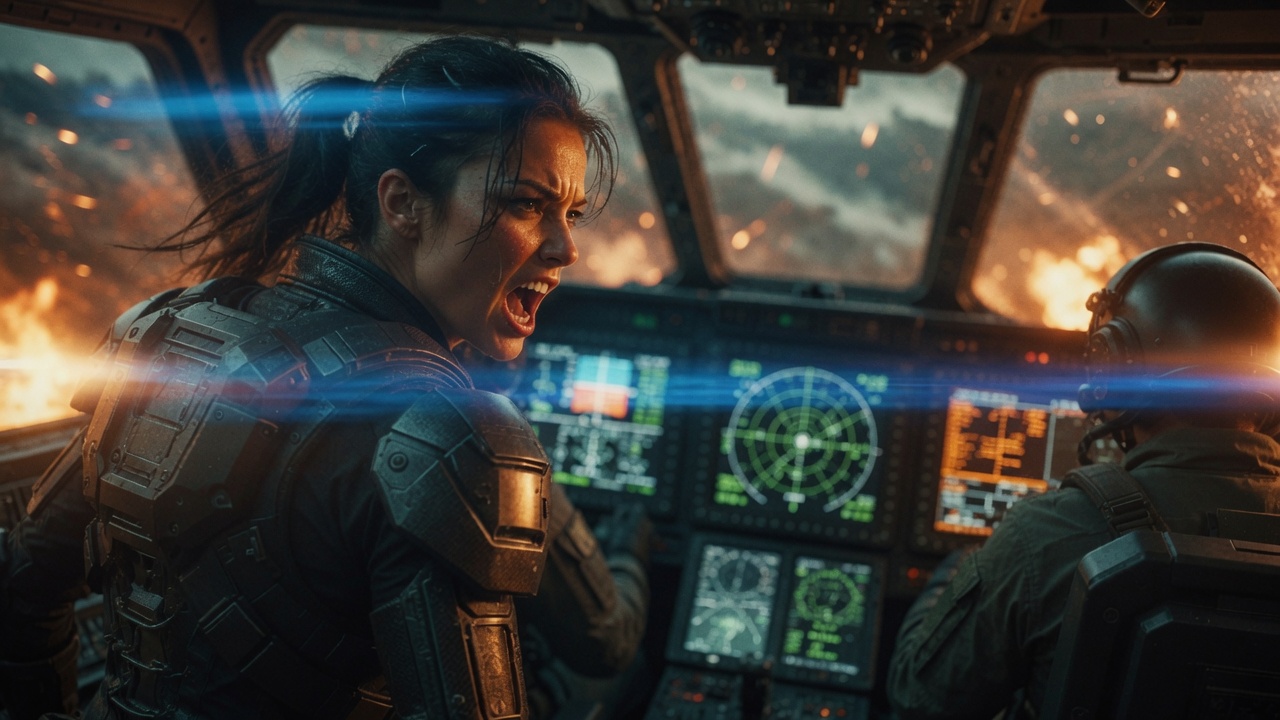
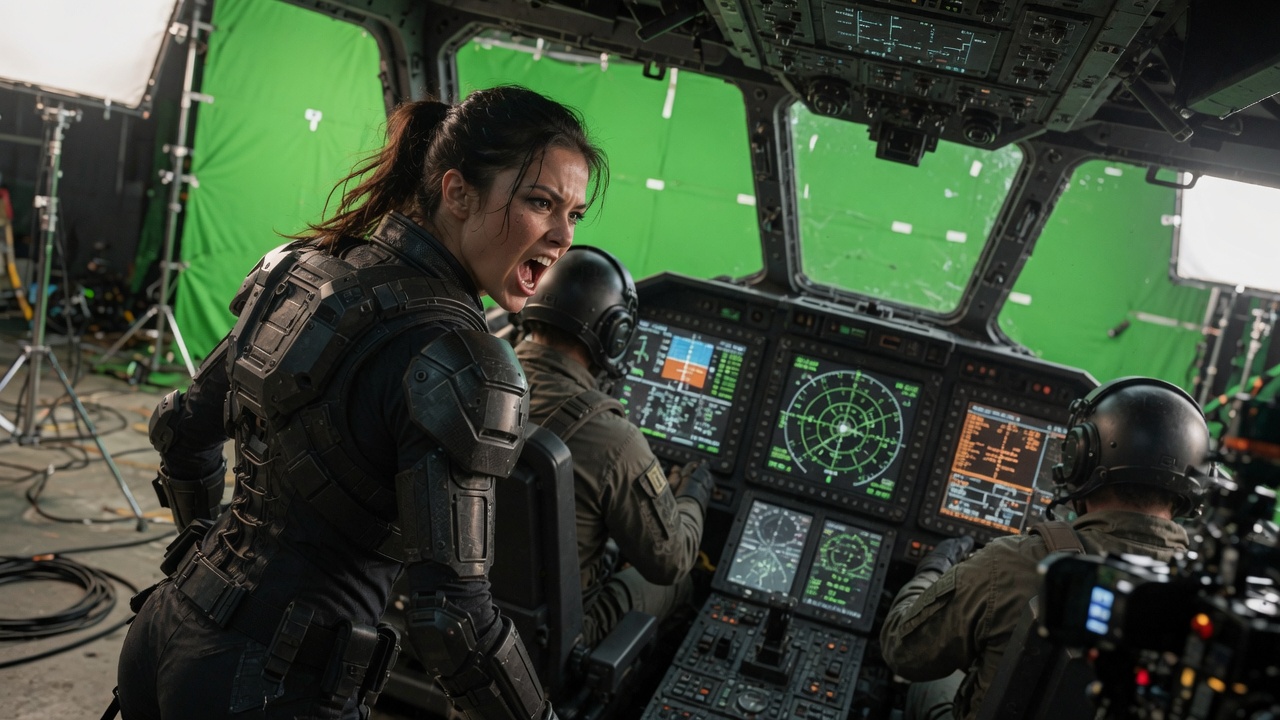
Displays built into practical set pieces — cockpits, consoles, and vehicle interiors — that react to fast-paced action input in real time. Drag the handle to compare on-set capture against the finished composite with live GUI and effects.
Plot-Driven Multi-Screen Environments
Every interface runs in a simple web browser — deploying your plot elements across a large room is easy. Just add screens to the LAN and they pick up the same live state. No complex video routing required.
Situation Room & Briefing Displays
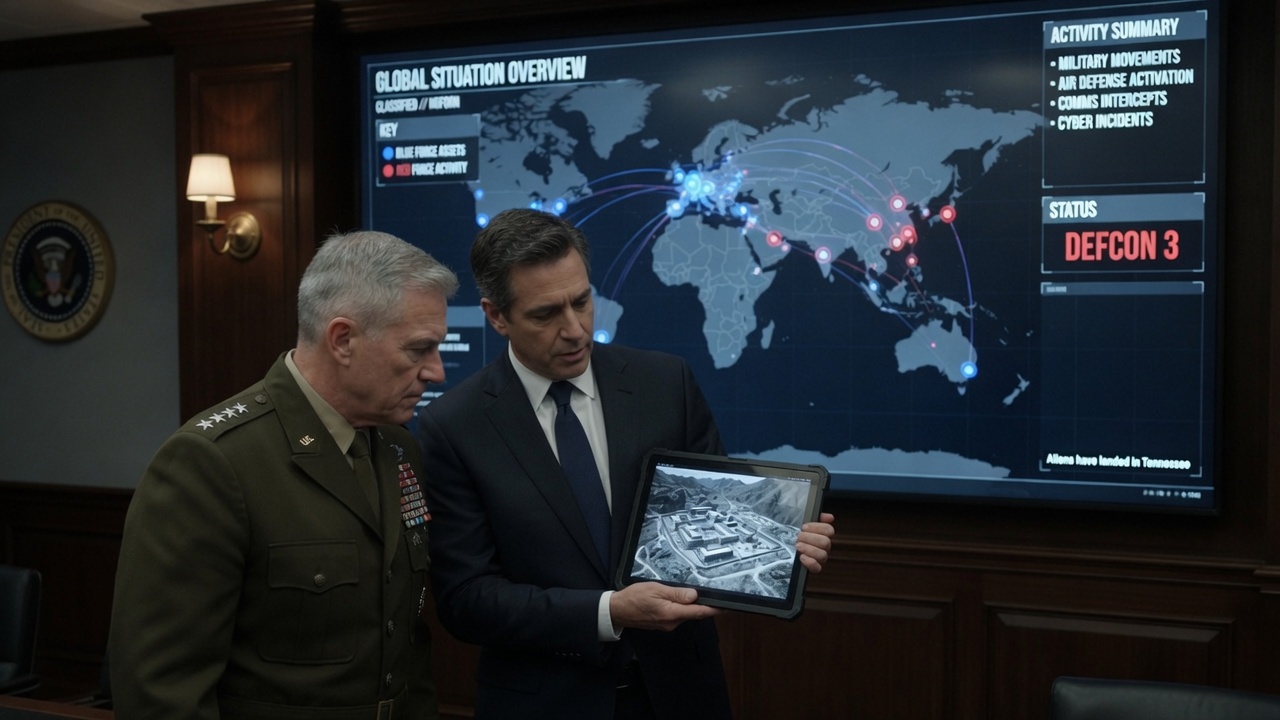
Plot-specific information and animated graphics for command centers and war rooms — world maps, asset tracking, DEFCON status, and classified feeds on wall displays and tablets, all synchronized.
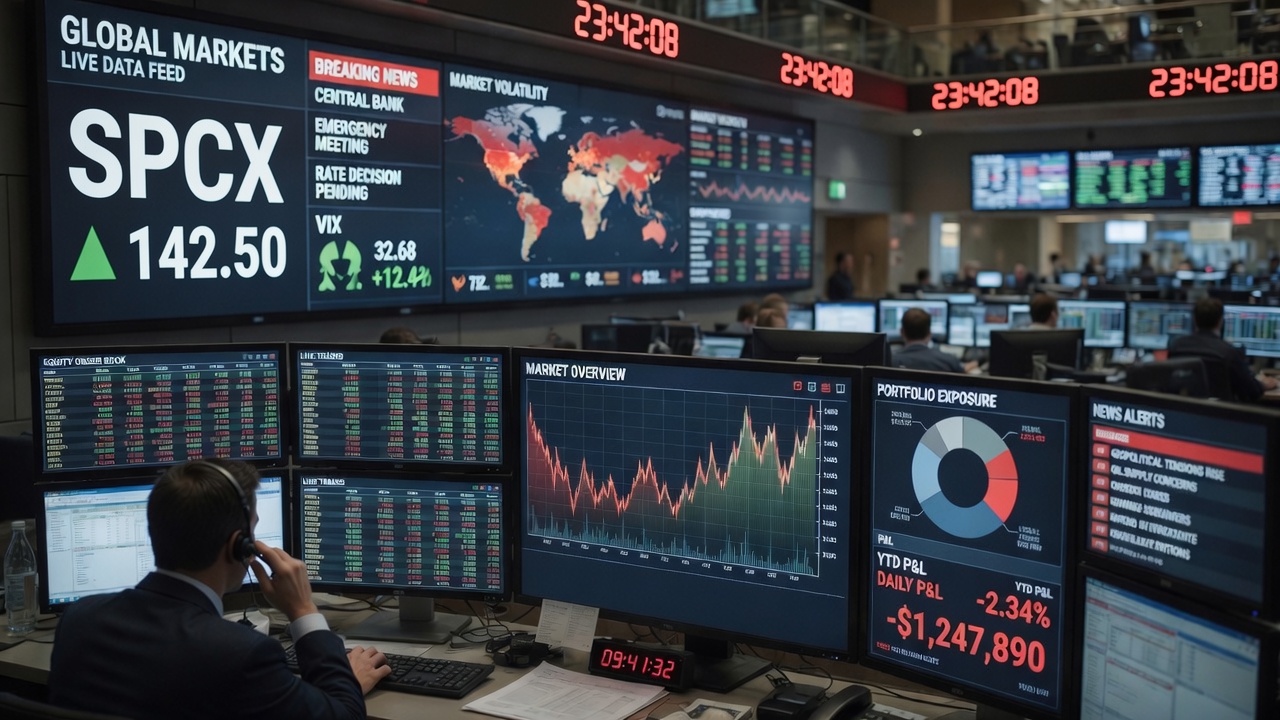
Trading Floor & Market Data
Live charts, order books, news tickers, and overhead feeds — each view is a browser tab on any machine in the room. Scale from one desk to an entire floor by simply adding screens.
Get in touch for your next production.
RAMullins42@gmail.com